The Challenge
Critical actions were hidden, therapy selection was inefficient, and therapists faced cognitive overload when using our system.
Additionally, I needed to build trust in design with a team that had never worked with a UX/UI professional.
What I Did
Conducted comprehensive UX audit and built stakeholder trust
Redesigned core workflows and information architecture
Collaborated with medical team, PM, and engineers
Created therapy discovery tool with medical team
Established design system and phased rollout strategy
Impact
82.6% faster therapy setup (16s → 2.78s)
64.7% fewer user errors
Established design as core company function
Three Major Improvements
Visual Therapy Discovery
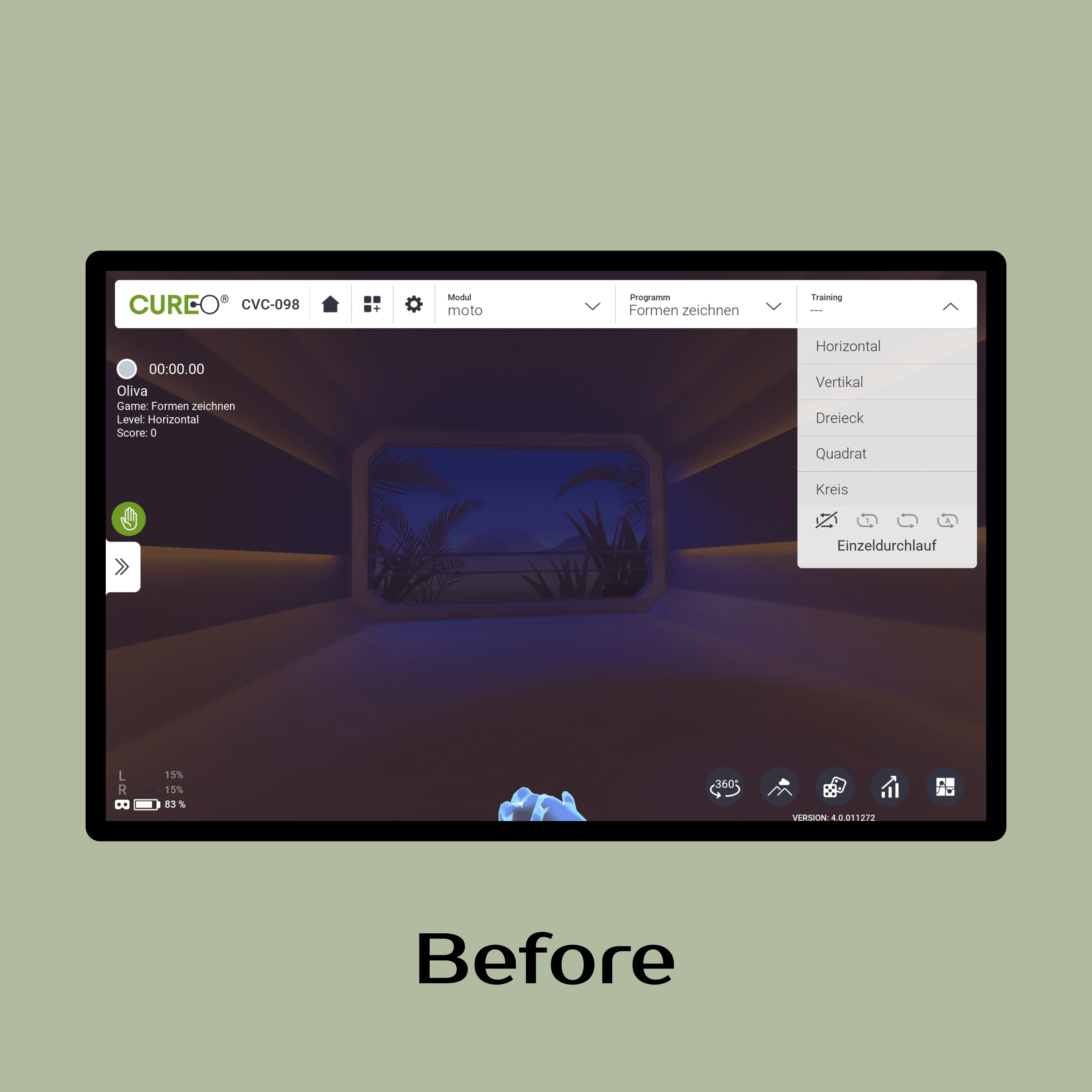
Problem: Therapists had problems finding the content they needed and first time users described feeling lost while using the software.
Solution:
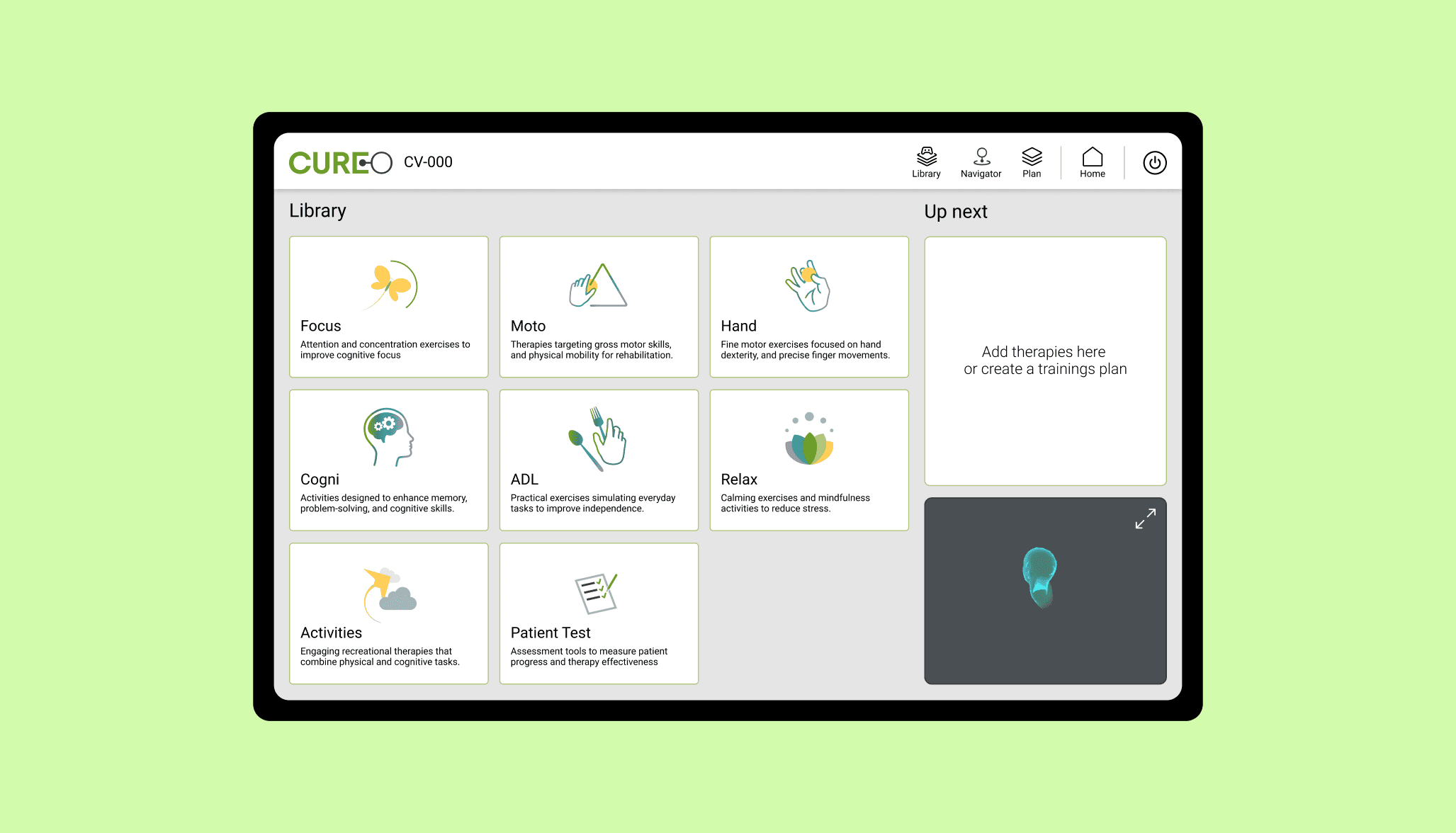
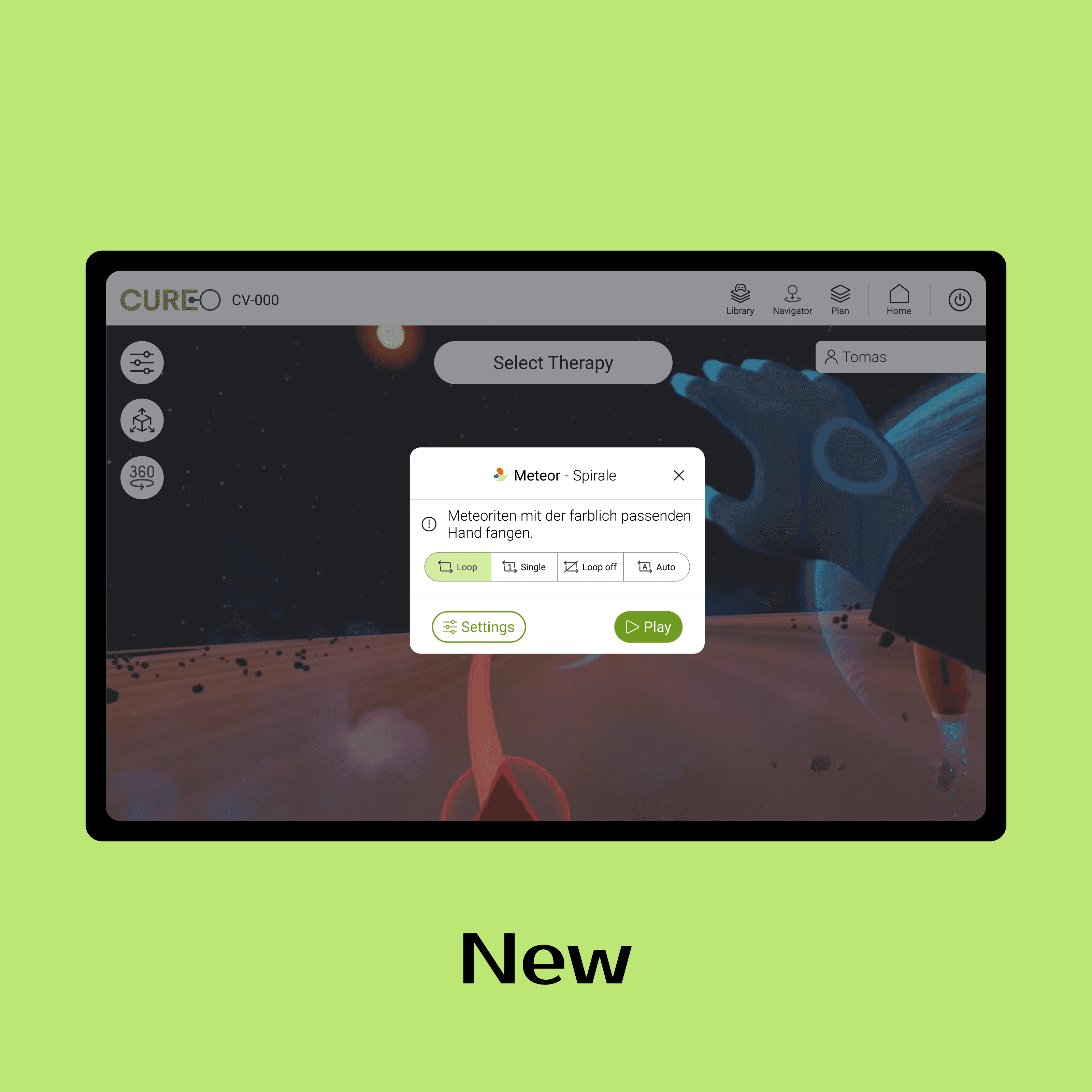
Created a CTA "Select Therapy" in the main view to access therapies.
Replaced text-only menus with visual therapy cards organized by category.
Created a library with cards with therapy categories. Therapists can now quickly scan options and understand what each therapy offers without prior system knowledge.
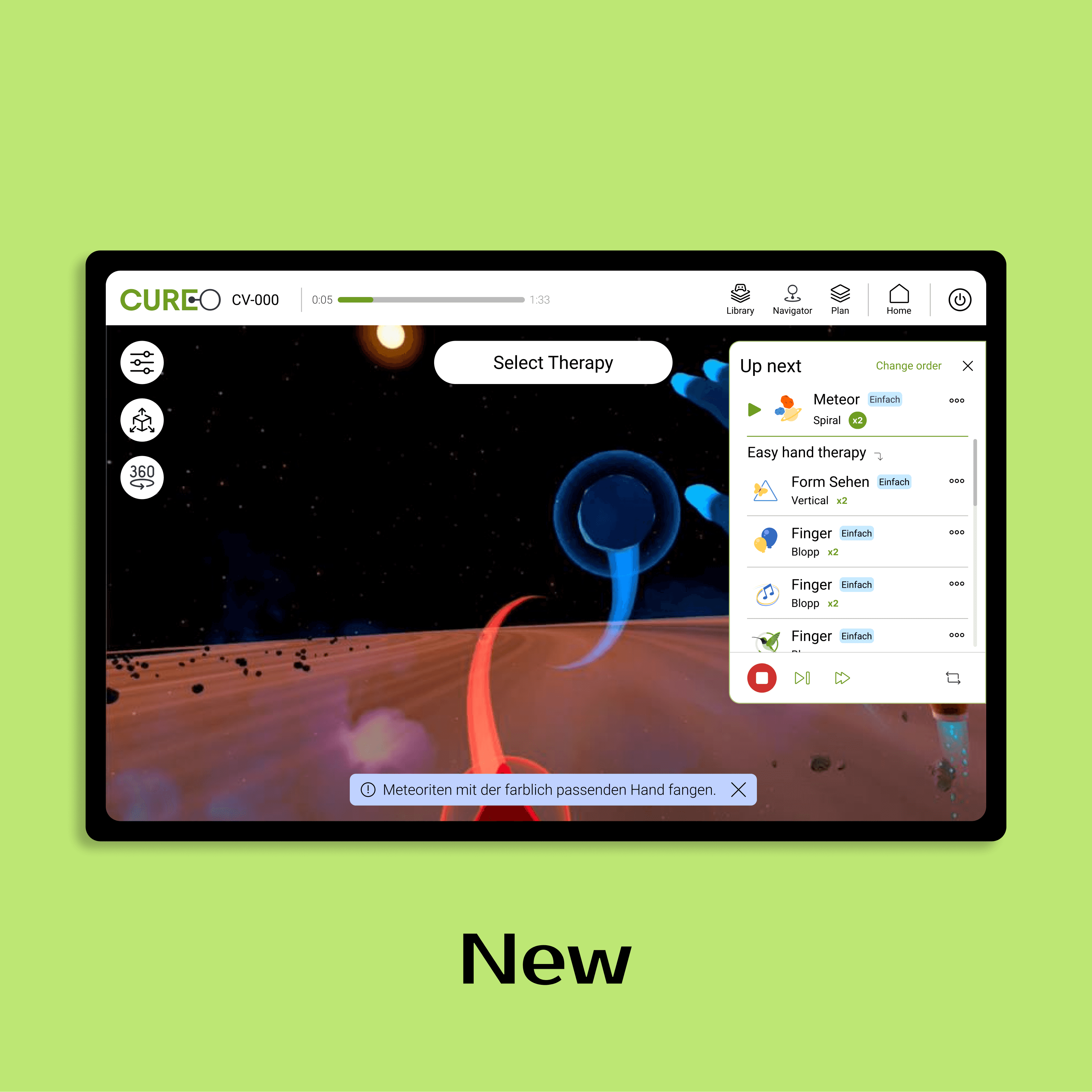
"Up Next" - On-the-Fly Planning
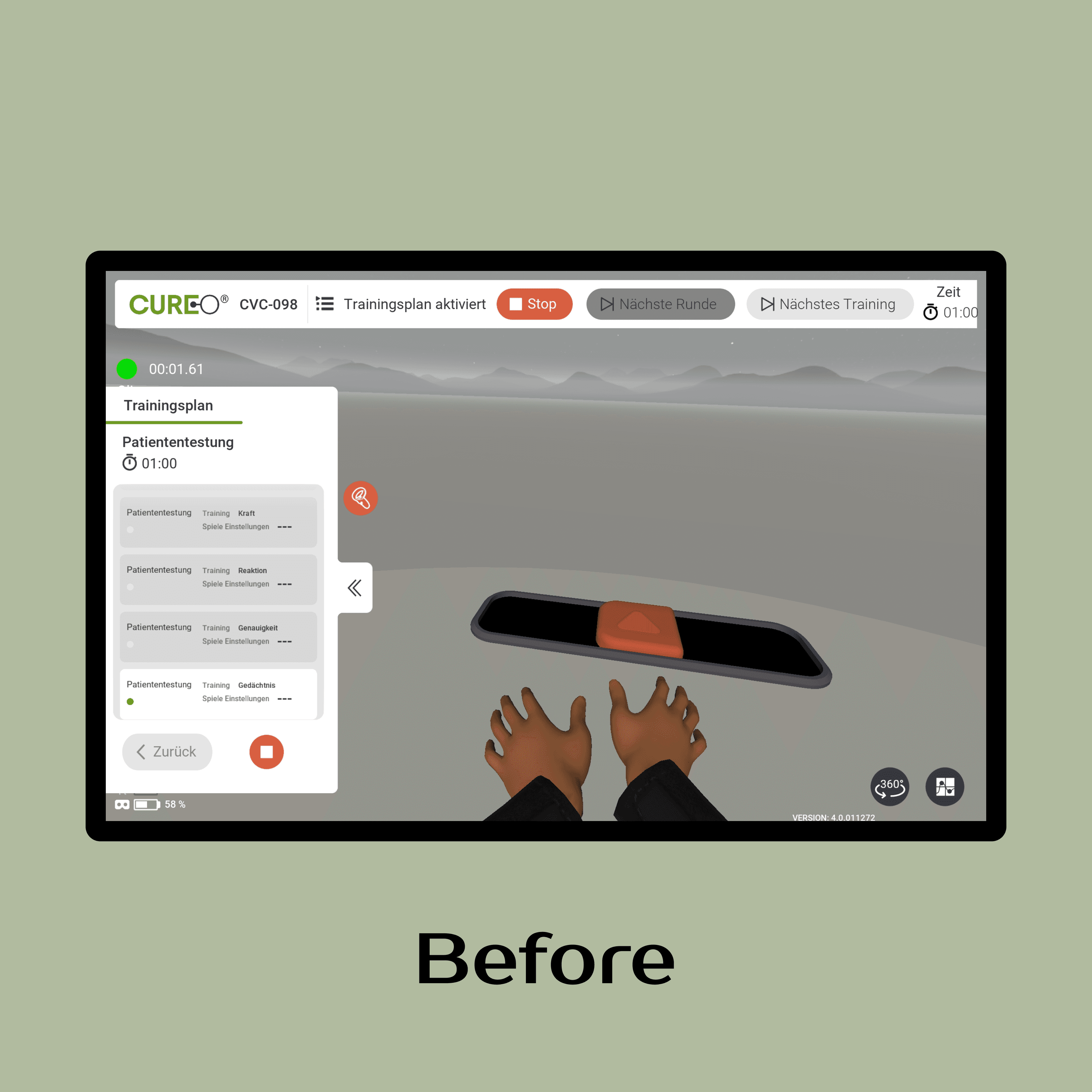
Problem: Experienced users did not knew about the Trainings Plan feature, as it was too hidden. Planning therapy to make day to day therapy more efficient was one of our USP, so we needed to fix this.
Solution:
Moved the Trainings plan entry point from being hidden to the top bar.
Introduced a persistent "Up Next" panel that allows therapists to build and adjust training plans spontaneously during sessions.
Multiple Learning Touchpoints
Problem: Therapist had no information about the game-therapies and needed to play them to see how they worked.
Solution:
Therapists now learn about each therapy through:
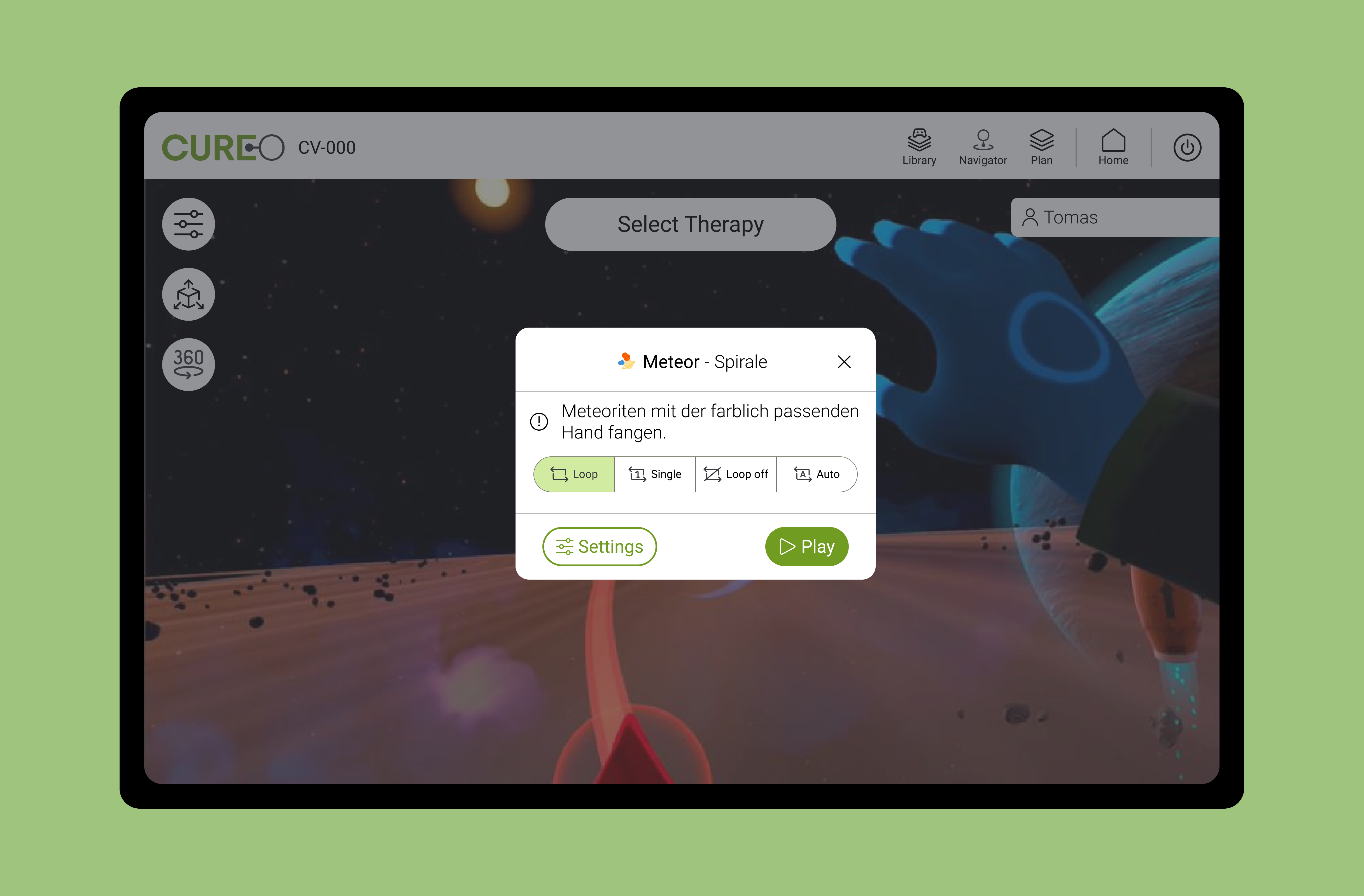
Contextual snackbars (hints during interaction)
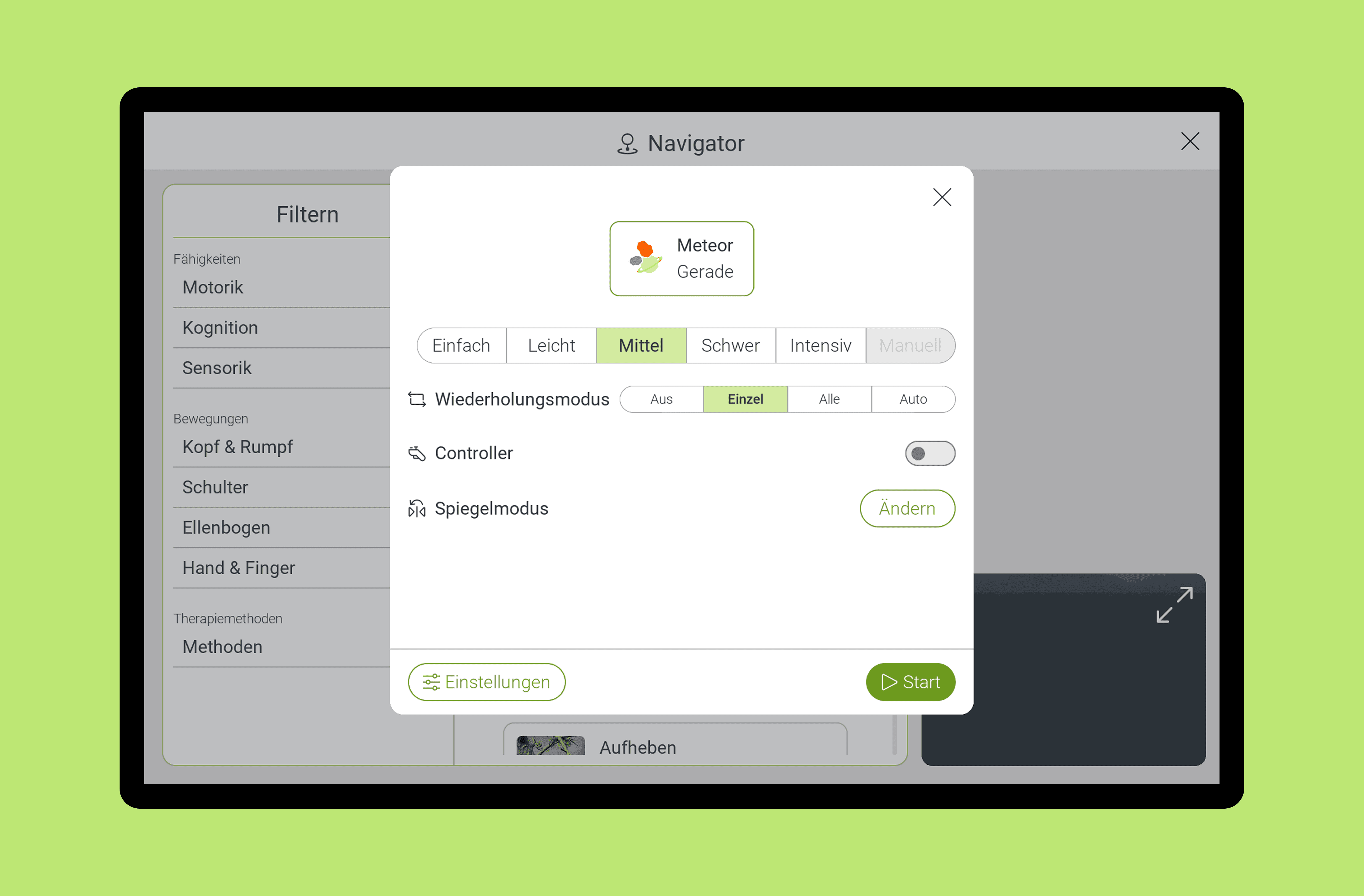
Game preview modals (before starting therapy)
Detailed Navigator cards (full therapy information)
Quantitative Impact.
Task: Create a Trainings plan
First Click Time : 16s → 2.78s (82.6% faster)
Unnecessary Actions: 1.7 → 0.6 (64.7% reduction)
Task: Start a therapy
Time on Task: 18.9s → 15.3s (19% faster)
Incorrect Clicks: 1.8 → 0.3 (83% reduction)
Beyond Metrics.
Therapists reported increased confidence navigating the system
Reduced onboarding time for new staff
Established design practice in company with no prior UX culture
Created foundation for ongoing product development
What I Learned
Building trust in design is as important as the design itself. Starting with data rather than solutions, proposing phased rollouts to reduce risk, and collaborating with domain experts established design as a core function while delivering measurable impact.
Goal
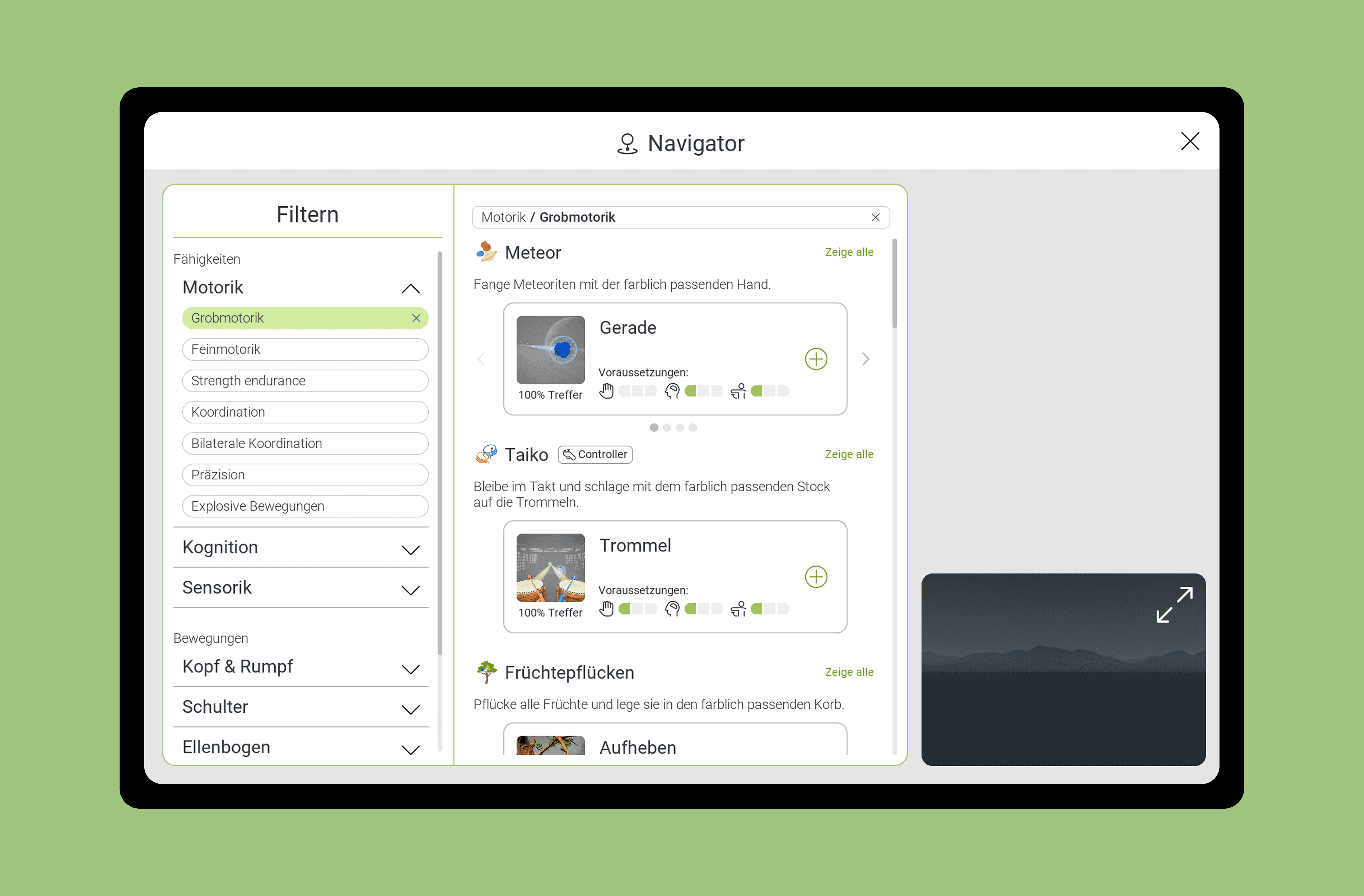
Helping Therapists Find the Right Therapy for Their Patients
The Challenge
New therapists didn't know which games suited their patients' rehabilitation
goals. Experienced therapists wanted faster ways to find specific therapies.
The medical team initiated a concept for a filtering system—I translated
their research logic into an intuitive interface they called "Navigator."
My Role
Collaborated with the medical team to understand therapy classifications
and outcomes. Responsible for information architecture, UX design,
visual design implementation and Usability testing.
Design Solution
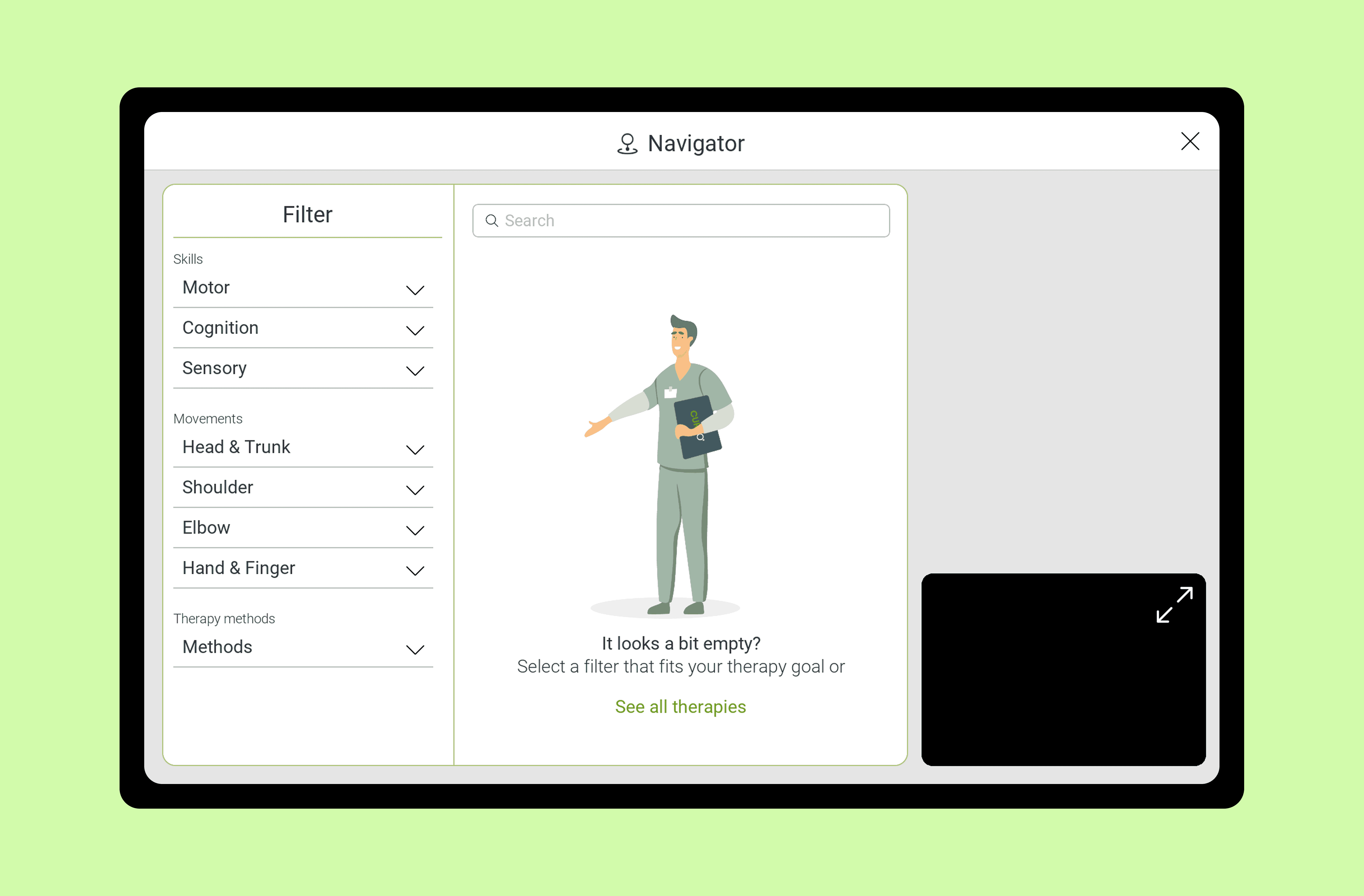
Filter by Therapy Goal
Organized by medical categories therapists already understand: Motor skills
(Motorik/Grobmotorik), Cognition (Kognition), and Sensory (Sensorik). Each
filter shows how many therapies match.
Visual Game Cards
Each therapy displays:
Game thumbnail and name
Description of motor focus
Required controllers (labeled with icons)
Difficulty levels
One-click to start or add to training plan
Search bar for Experienced Users
Added search bar so therapists who know therapy names can jump directly
to what they need, bypassing filters entirely. This was a decision based on a critical task usability test.